
$1,284.50
Cost of Goods Sold
$342.18
Office Supplies
$899.00
Software
$156.22
Utilities
$3,750.00
Contractor Expense
$1,023.40
Shipping
$4,200.00
Repairs & Maintenance
$87.50
Printing & Reproduction
$1,650.00
Insurance
$415.00
Advertising
$275.00
Grounds Maintenance
$2,100.00
IT Services
$5,500.00
Legal & Professional
Your AI Bookkeeper
That Never Sleeps or Rests.
Stop wasting hours chasing invoices, receipts, and credit memos. Connect every inbox on your team, not just yours, and we'll sync it all to your accounting software.
What DocStreamAI Does.
Every team member connects their own inbox. DocStreamAI monitors all of them, extracts the data, and syncs it straight to your accounting software.
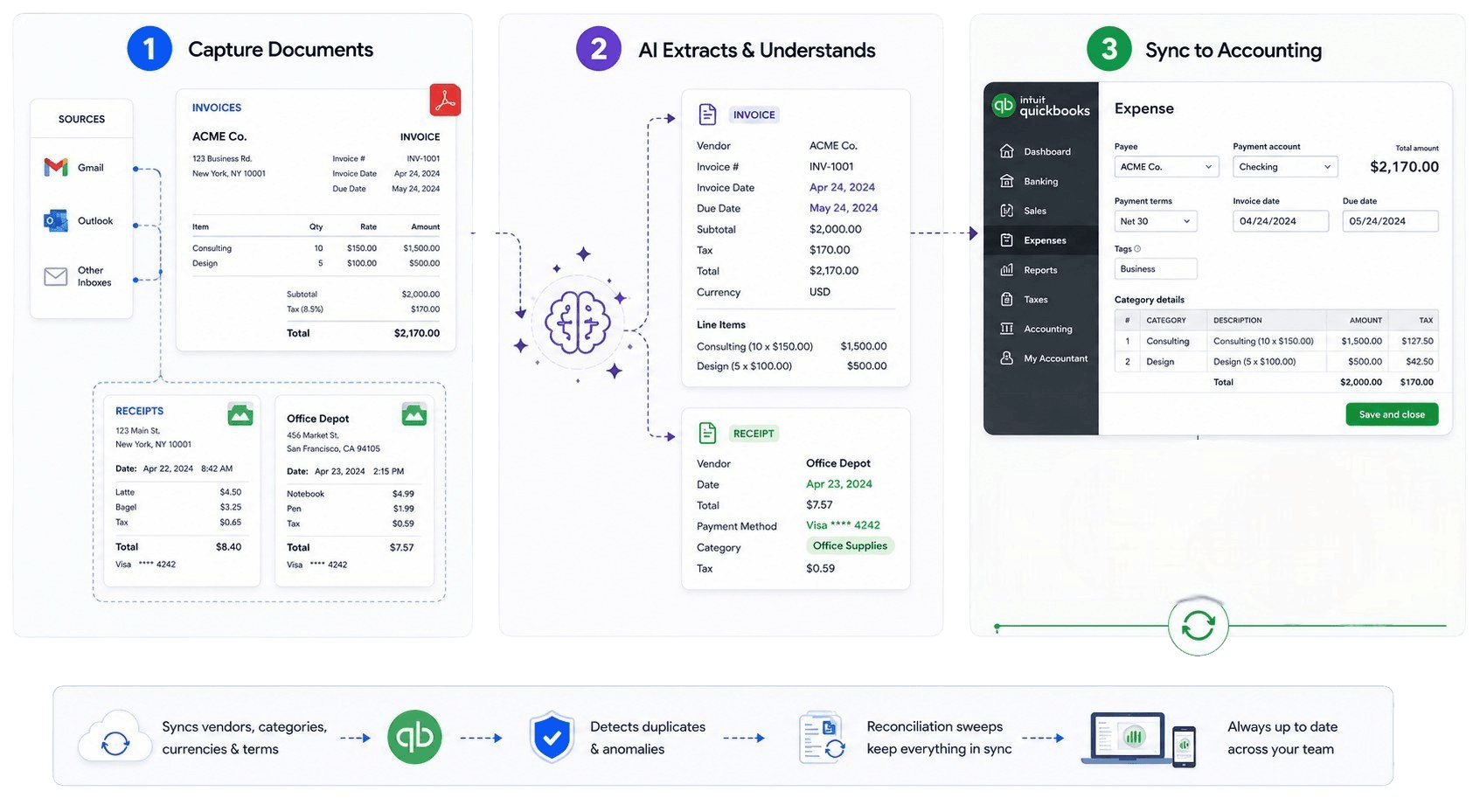
What DocStreamAI Does.
Every team member connects their own inbox. DocStreamAI monitors all of them, extracts the data, and syncs it straight to your accounting software.
Bookkeeping That Works While You Sleep.
Manage all your clients
Scale with the same team
Every transaction, backed by a receipt.
DocStreamAI watches your bank and your books for transactions that have no supporting document, then chases the paperwork down for you so nothing closes with a receipt missing.
- 1
Detect the gaps
Connect your bank alongside QuickBooks or Xero. DocStreamAI flags every posted transaction that has no receipt or bill behind it.
- 2
Chase the paperwork
Customizable follow-up emails collect the missing documents for you. Tailor which transactions go to whom, and set the reminder cadence.
- 3
Close it out
Submit the expense or bill, attribute a transaction already in your books, or mark it handled, right from the feed.
Amazon Web Services
Jul 2
Delta Air Lines
Jul 1
Staples
Jun 29
Shell Fuel
Jun 28
Reminder sent
to your team
See what your time is worth.
DocStreamAI removes about 80% of the manual time spent processing documents end-to-end. Adjust the inputs below to see your yearly return.
What an hour of your time is worth.
Email arrival to posted bill. Adjust to match your pace.
Chasing employees for missing paperwork and following up.
Typical range across our customers.
Drag to see savings scale with volume.
Cost vs. document volume
Red is by hand, blue is with us. Shaded area is what you keep.
The Hidden Costs
Estimates assume 1 document ≈ 1.5 pages and a manual baseline timed end-to-end (Gmail or Outlook inbox → bill posted in QuickBooks). Tier limits and pricing reflect current DocStreamAI plans.
How It Works.
From inbox to accounting software in four simple steps
 See it with QuickBooks
 See it with Xero
Connect Every Inbox
Each person on your team links their own Gmail or Outlook account. DocStreamAI watches every one of them for financial documents in real time.
- Every team member connects their own inbox in one click
- Automatic detection of invoices, receipts, and credit memos
- Processed emails labeled directly in each team member's inbox
- Organization-wide capture across all connected accounts
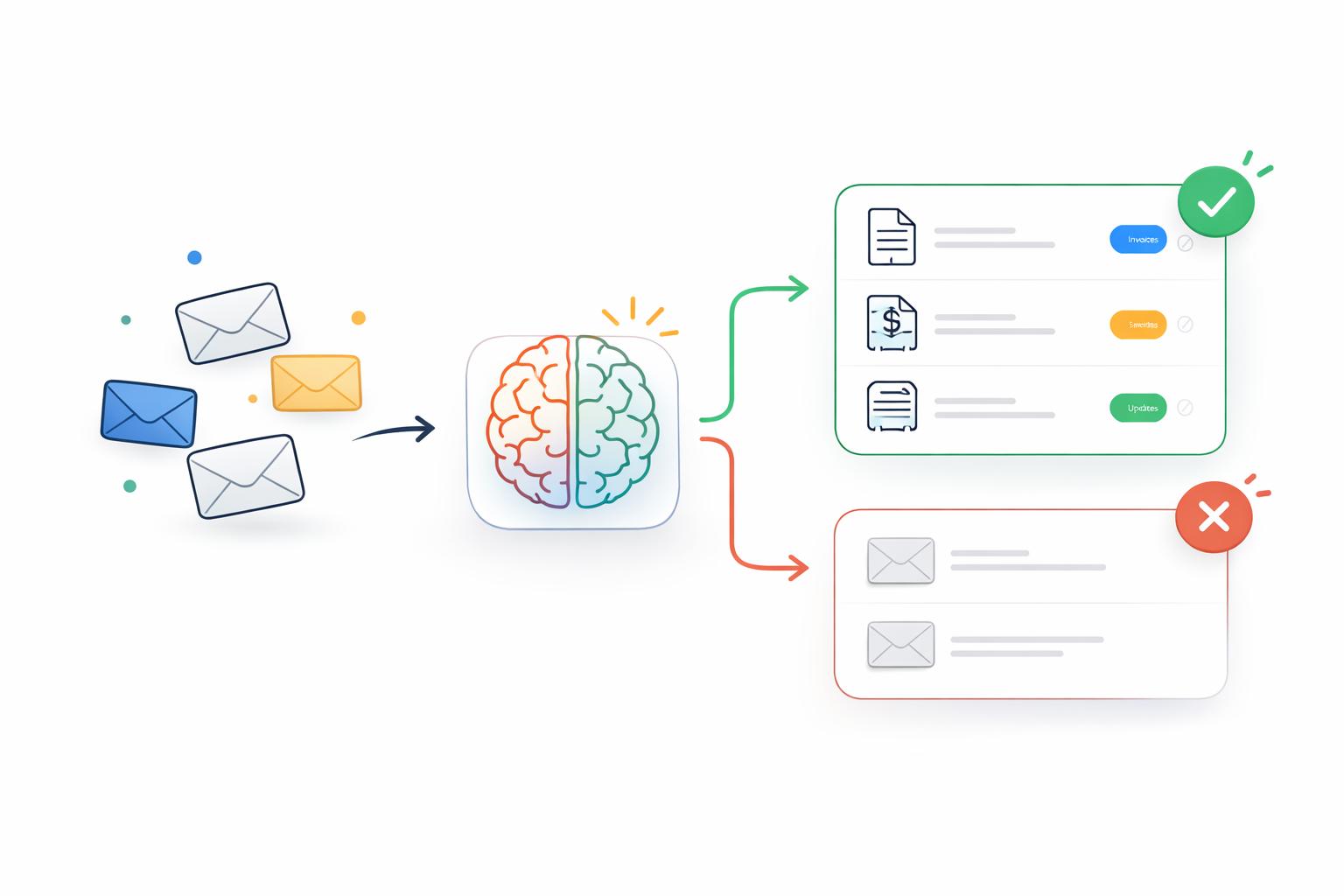
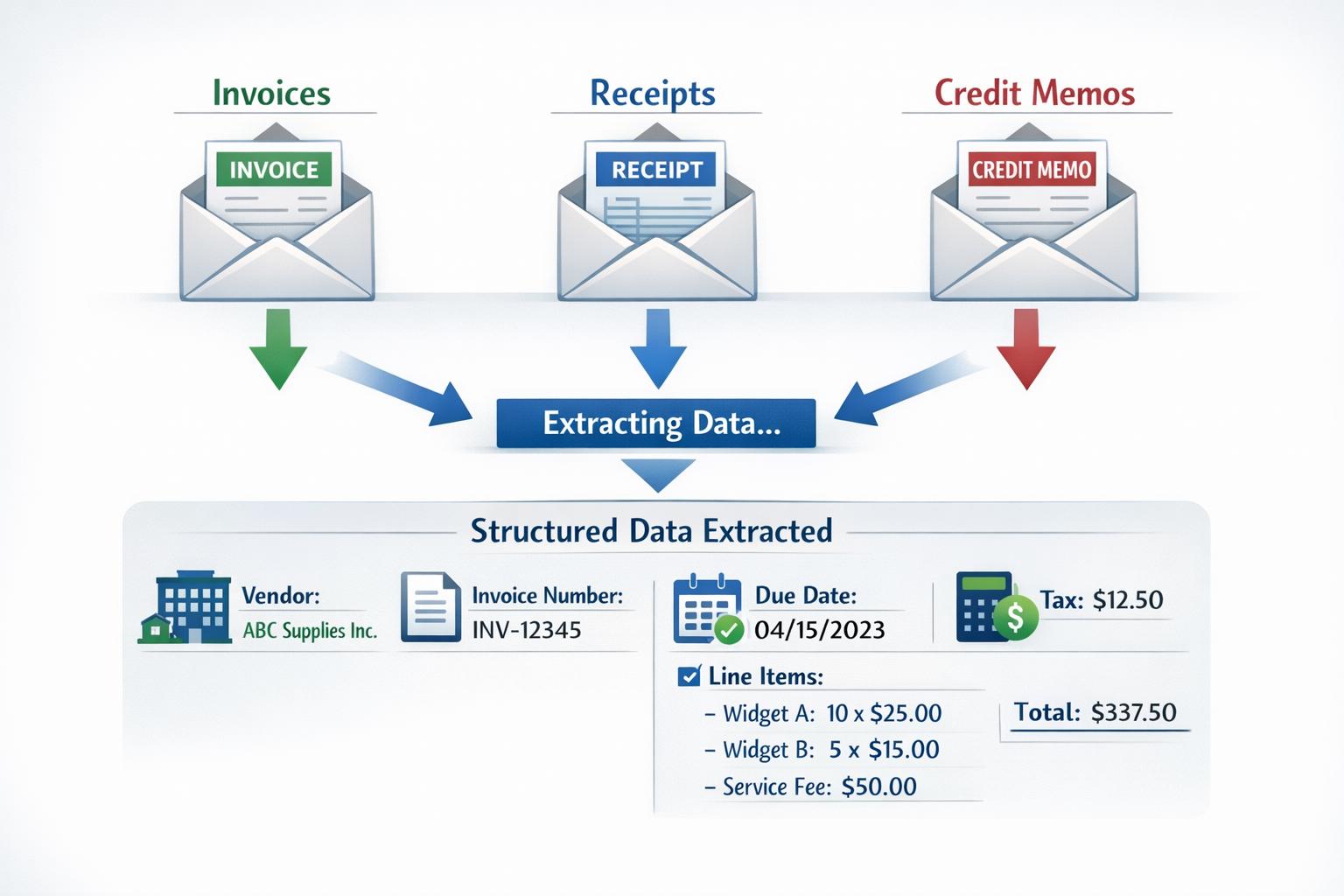
Classify and Extract
Every document is identified, categorized, and read — financial data is extracted without manual entry.
- AI classification separates financial documents from general email
- Vendor, line items, totals, taxes, and dates extracted automatically
- Multi-page and multi-attachment emails resolved intelligently
- Expense categories assigned using your existing accounting setup
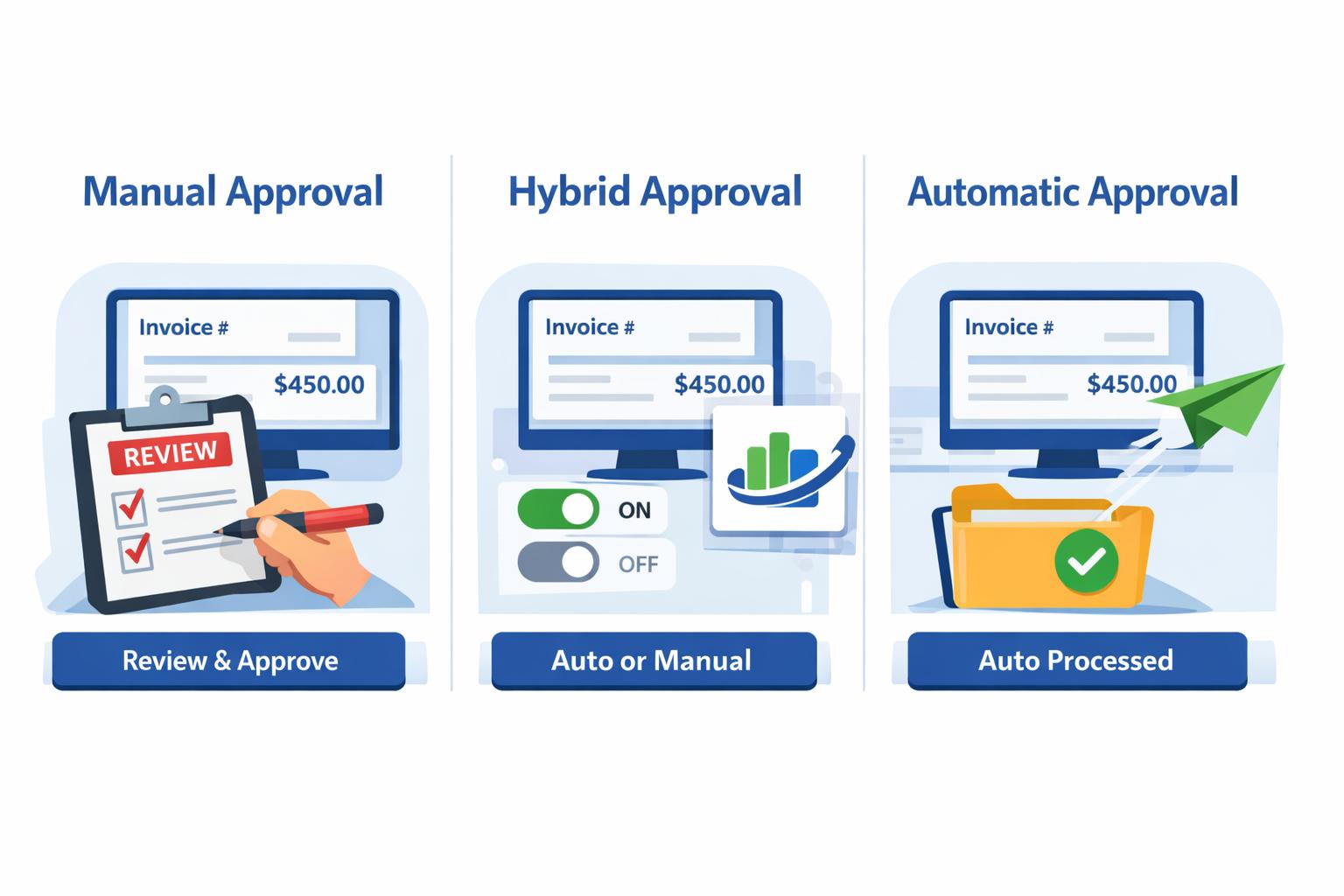
Review and Approve
Configure per-vendor rules so trusted senders flow through automatically while others stay in review.
- Dashboard review with inline field editing before submission
- Route documents to an approver before they post to your books
- Approvers get a scheduled digest of everything awaiting sign-off
- Per-vendor auto-submit toggles for trusted senders
- Receipt-to-transaction matching with confidence scoring
- Duplicate detection flags conflicts before they reach your books
Sync to Accounting Software
Bills and receipt attachments are synced to QuickBooks or Xero — your books stay current.
- Bills created directly in QuickBooks and Xero
- Receipts attached to matched transactions automatically
- Vendor, category, and currency data kept in sync
- External reconciliation detection prevents stale dashboard state

Robust Invoice Handling.
From standard bills to complex commercial documents, DocStreamAI reliably extracts structured data across every invoice format.
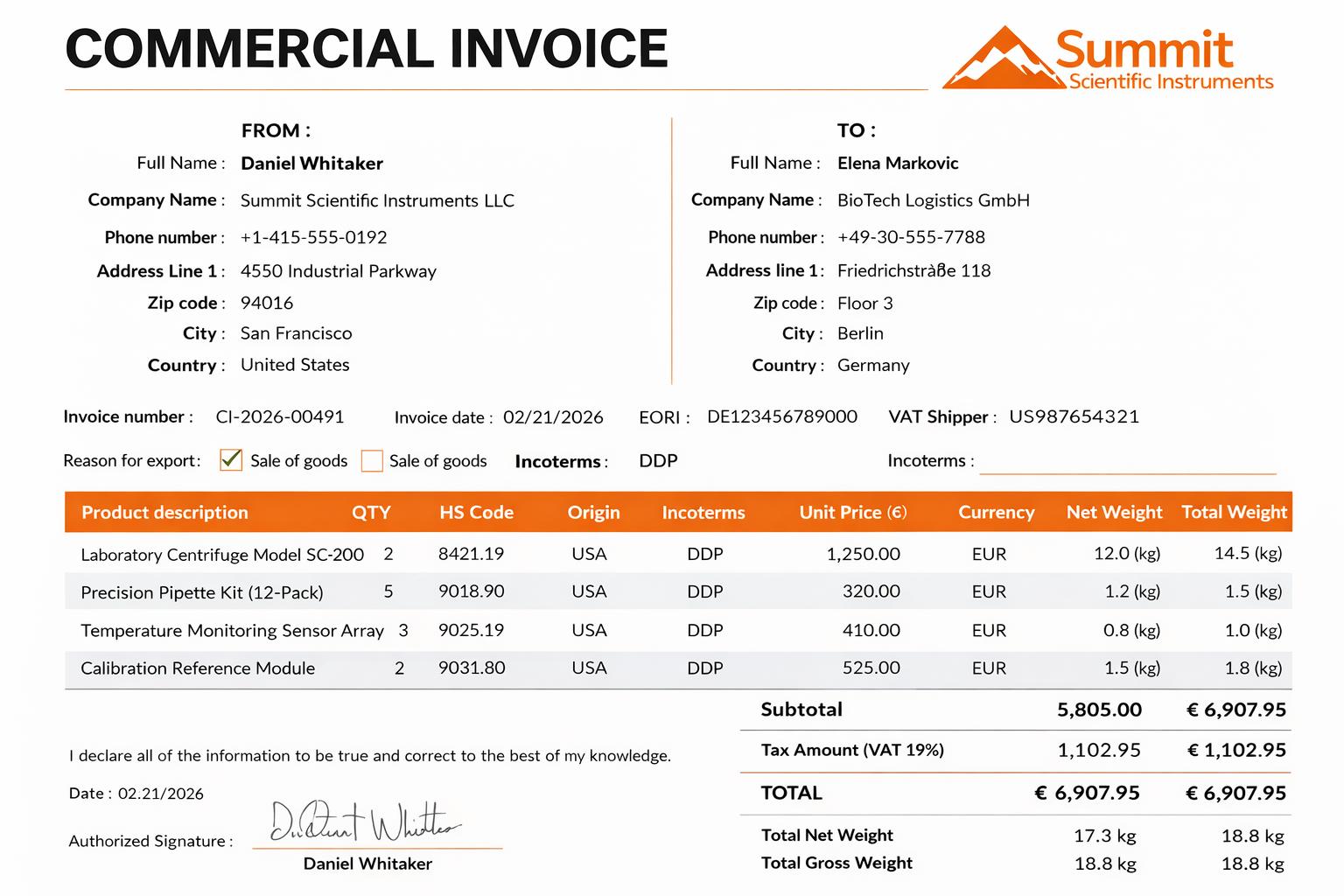
Commercial Invoice
Import/export and customs invoices with complex line-item structures — extracted in full detail.
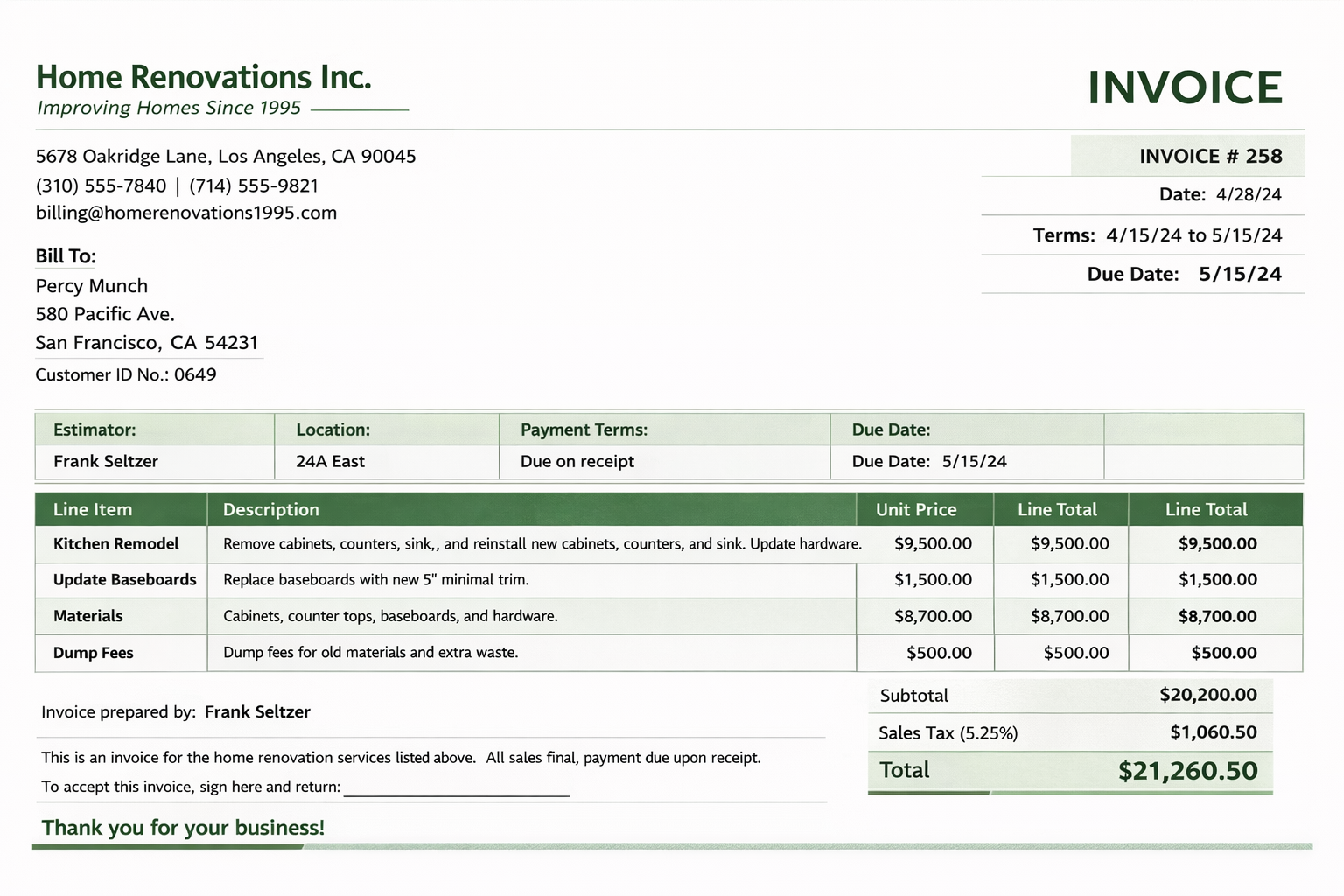
Standard Invoice
Typical vendor invoices with line items, totals, and payment terms — parsed accurately every time.
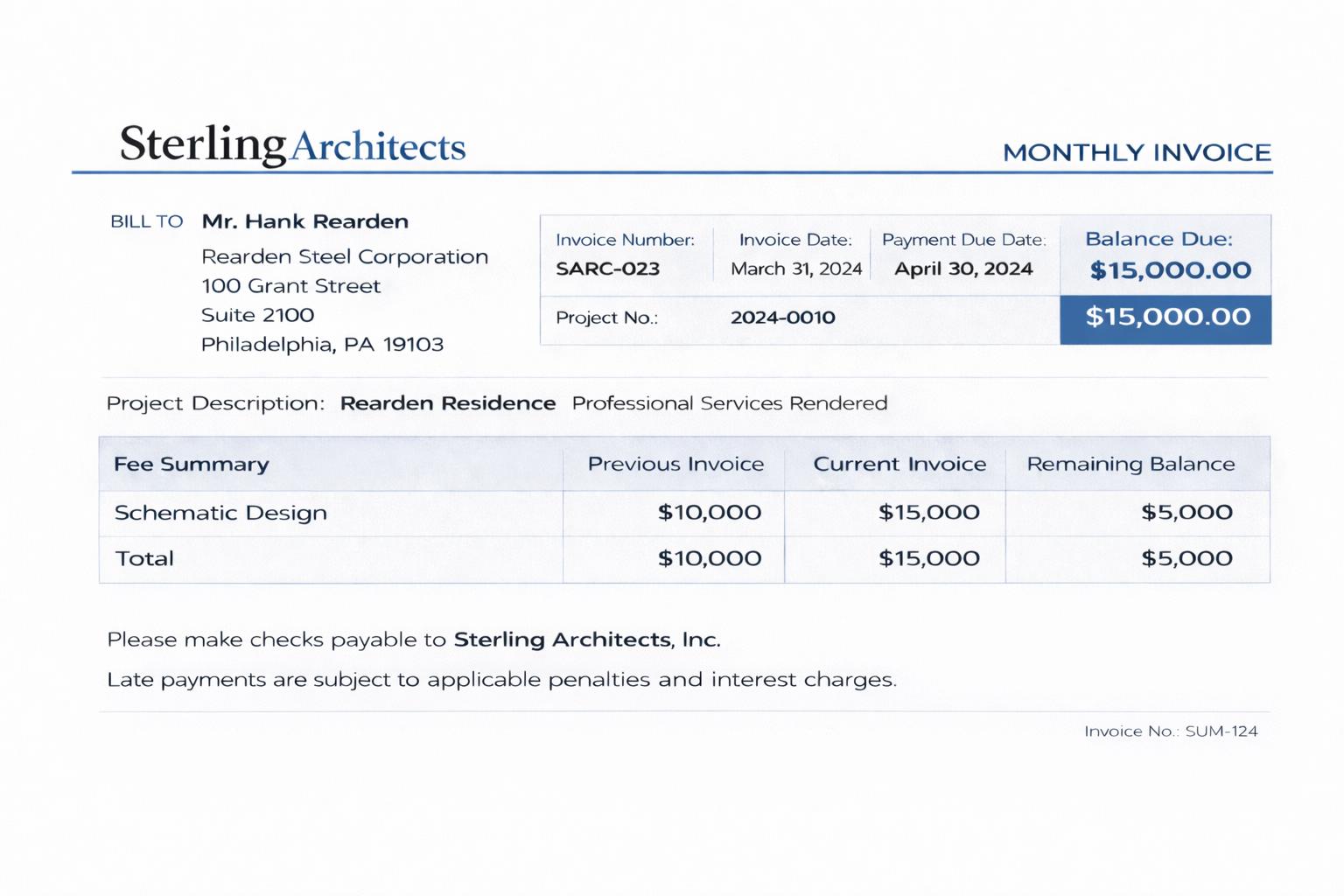
Interim Invoice
Progress billing and partial invoices common in construction and consulting — handled without confusion.
Secure Encrypted Data.
Your financial documents deserve the highest level of protection.
AES-256 Encryption at Rest
All documents, extracted financial data, and associated emails are encrypted prior to storage.
OAuth2 Secured Integrations
Gmail, Outlook, QuickBooks, and Xero connections use permission-scoped OAuth2 authorization.
Encrypted Data in Transit
All data is encrypted via TLS/HTTPS and transmitted securely with end-to-end encryption across every service.

Transparent, Usage-Based Pricing.
Pay for what you use. Every plan includes generous monthly limits with flexible overages.
Starter
For individuals getting started with automated document processing.
- Up to 3 Members
- Email Monitoring Every 60 Minutes
- Automatic Email Category Labeling
- Invoice, Receipt & Credit Memo Extraction
- Missing Receipt Detection
- Duplicate Invoice Detection
- QuickBooks & Xero Integrations
- $0.01 per additional email
- $0.10 per additional page
Growth
For growing teams that need stronger controls and deeper automation.
- Everything in Starter
- Up to 5 Members
- Role-Based Access Control
- Email Monitoring Every 30 Minutes
- Individual Email Privacy Controls
- $0.008 per additional email
- $0.08 per additional page
Pro
For teams that need higher processing volume and granular visibility.
- Everything in Growth
- Up to 8 Members
- Higher Processing Limits
- $0.006 per additional email
- $0.06 per additional page
Business
For operations teams requiring advanced integrations and cross-team visibility.
- Everything in Pro
- Up to 16 Members
- Email Monitoring Every 15 Minutes
- Priority Support & Guided Onboarding
- $0.005 per additional email
- $0.05 per additional page
Focus on growing your business,
not data entry.
Start your free trial today. No credit card required. Set up your account in under five minutes.