
$1,284.50
Cost of Goods Sold
$342.18
Office Supplies
$899.00
Software
$156.22
Utilities
$3,750.00
Contractor Expense
$1,023.40
Shipping
$4,200.00
Repairs & Maintenance
$87.50
Printing & Reproduction
$1,650.00
Insurance
$415.00
Advertising
$275.00
Grounds Maintenance
$2,100.00
IT Services
$5,500.00
Legal & Professional
From Inbox to Accounting
Without Lifting a Finger
Stop wasting hours collecting invoices, receipts, and financial documents from clients, employees, and inboxes. Let us handle it automatically.
What DocStreamAI Does
Turn document collection into a hands-off process with automatic inbox monitoring, AI-powered data extraction, and direct synchronization with your accounting software.
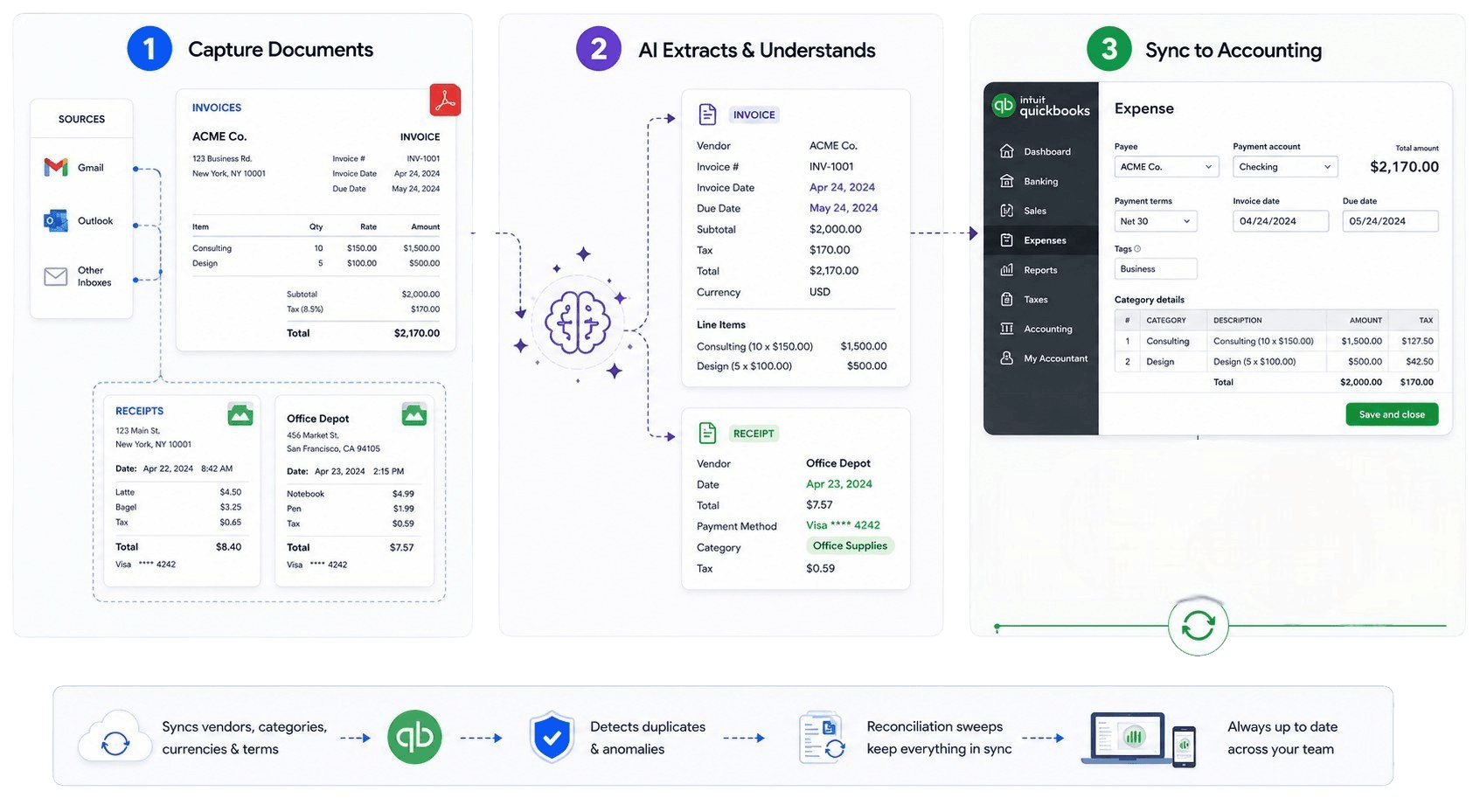
Email Automation
Financial documents captured the moment they arrive — no forwarding, scanning, or manual uploads.
- Monitors connected Gmail inboxes in real time for your whole team
- Detects invoices, receipts, and credit memos automatically
- Centralizes captured documents across your organization
AI Processing
Documents are automatically classified, extracted, and routed—bills are created and receipts attached with no manual entry
- Extracts vendor, line items, totals, taxes, and payment terms from invoices, receipts, and credit memos
- Categorize expenses using your own accounting categories and rules
- Matches receipts to existing transactions with confidence scoring
Accounting Sync
Your dashboard and accounting software stay in sync — duplicates caught and external changes detected.
- Syncs vendors, categories, and currencies from your accounting platform
- Detects externally attached receipts and invoices
- Reconciliation sweeps to sync files and detect duplicates
What DocStreamAI Does
Turn document collection into a hands-off process with automatic inbox monitoring, AI-powered data extraction, and direct synchronization with your accounting software.
Email Automation
Financial documents captured the moment they arrive — no forwarding, scanning, or manual uploads.
- Monitors connected Gmail inboxes in real time for your whole team
- Detects invoices, receipts, and credit memos automatically
- Centralizes captured documents across your organization
AI Processing
Documents are automatically classified, extracted, and routed—bills are created and receipts attached with no manual entry
- Extracts vendor, line items, totals, taxes, and payment terms from invoices, receipts, and credit memos
- Categorize expenses using your own accounting categories and rules
- Matches receipts to existing transactions with confidence scoring
Accounting Sync
Your dashboard and accounting software stay in sync — duplicates caught and external changes detected.
- Syncs vendors, categories, and currencies from your accounting platform
- Detects externally attached receipts and invoices
- Reconciliation sweeps to sync files and detect duplicates
See what your time is worth.
DocStreamAI removes about 80% of the manual time spent processing documents end-to-end. Adjust the inputs below to see your yearly return.
Your current workflow
What an hour of your time is worth.
Our measured average — from email arrival to bill posted in QuickBooks. Adjust if your process is faster or slower.
Extra time per document spent talking to employees, requesting missing paperwork, and following up — the hidden back-and-forth before a document is ready to process.
Typical range across our customers.
Drag to see how savings scale with volume.
Monthly cost vs. document volume
The shaded zone is what you keep. Vertical guides mark each plan's capacity.
The Hidden Costs
On average, every document quietly eats 2.5 minutes. Here's where it actually goes:
Using QuickBooks' AI extraction and categorizing each bill — even with their AI, the workflow still takes this long.
Reading the email, downloading the attachment, logging into your accounting software.
Estimates assume 1 document ≈ 1.5 pages and a manual baseline timed end-to-end (Gmail inbox → bill posted in QuickBooks). Tier limits and pricing reflect current DocStreamAI plans.
How It Works
From inbox to accounting software in four simple steps
 See it with QuickBooks
 See it with Xero
Connect Your Inbox
Link your team's Gmail accounts and let DocStreamAI watch for financial documents in real time.
- One-click Gmail connection with secure OAuth
- Automatic detection of invoices, receipts, and credit memos
- Processed emails labeled directly in each team member's inbox
- Organization-wide capture across all connected accounts
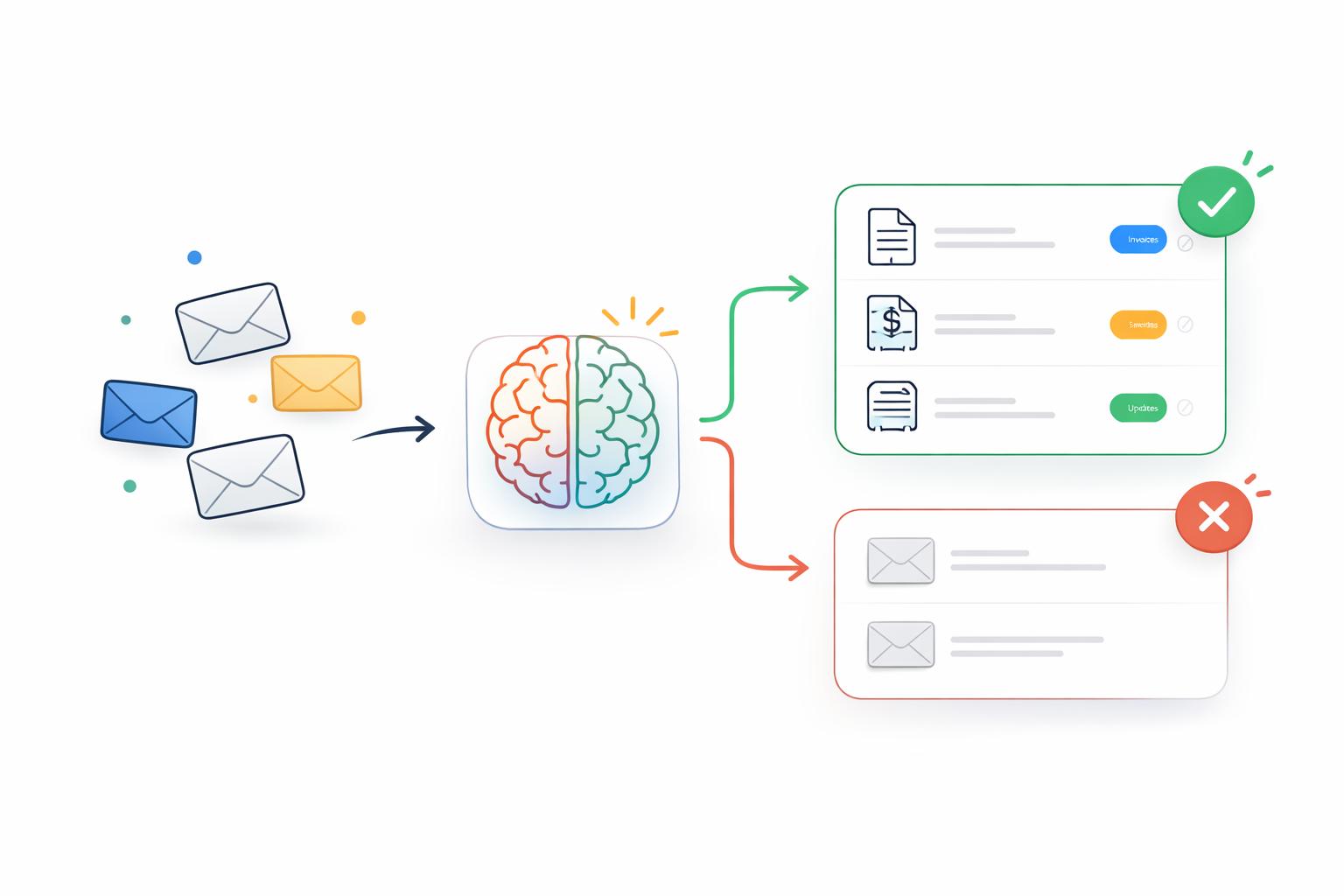
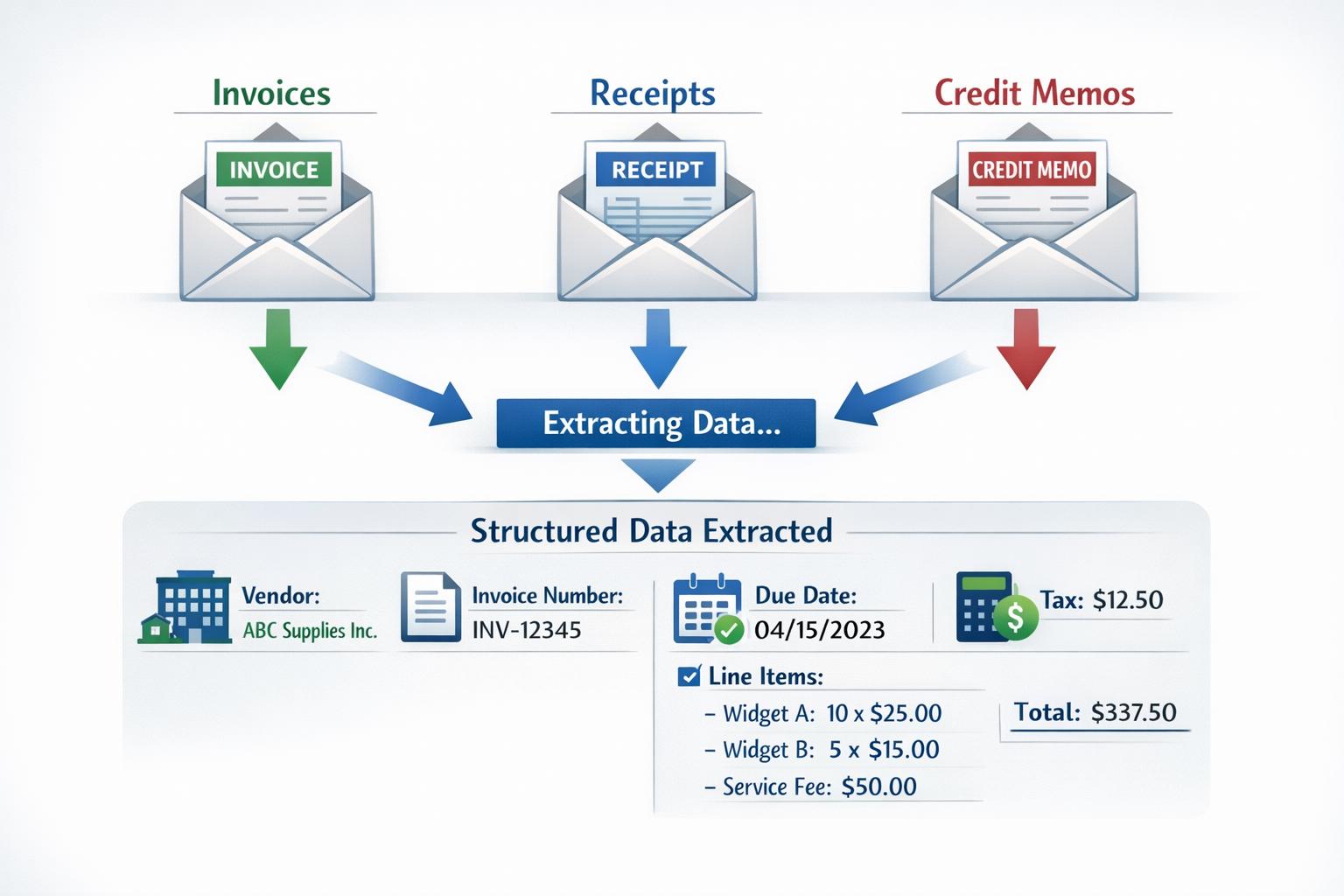
Classify and Extract
Every document is identified, categorized, and read — financial data is extracted without manual entry.
- AI classification separates financial documents from general email
- Vendor, line items, totals, taxes, and dates extracted automatically
- Multi-page and multi-attachment emails resolved intelligently
- Expense categories assigned using your existing accounting setup
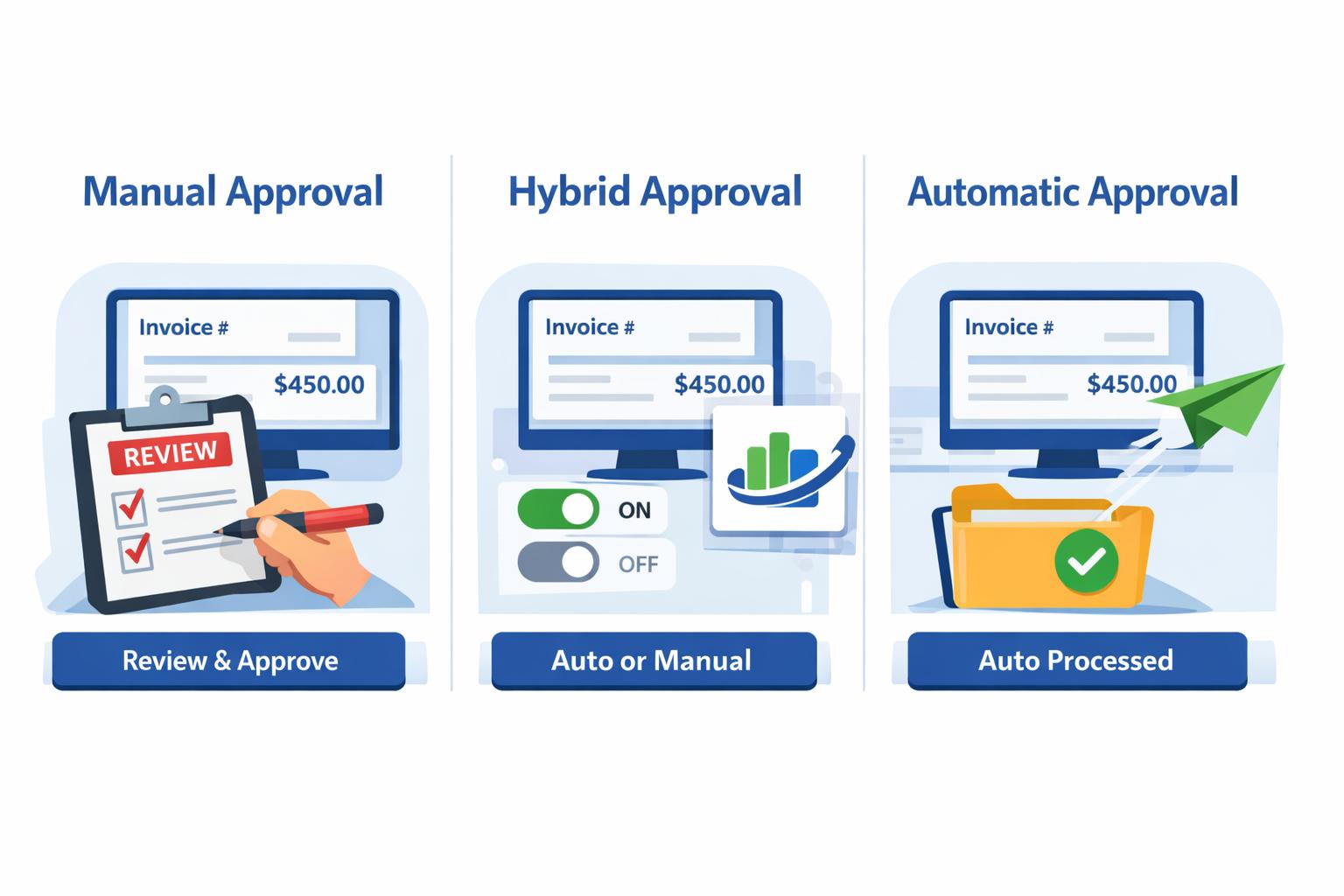
Review and Approve
Configure per-vendor rules so trusted senders flow through automatically while others stay in review.
- Dashboard review with inline field editing before submission
- Per-vendor auto-submit toggles for trusted senders
- Receipt-to-transaction matching with confidence scoring
- Duplicate detection flags conflicts before they reach your books
Sync to Accounting Software
Bills and receipt attachments are synced to QuickBooks or Xero — your books stay current.
- Bills created directly in QuickBooks and Xero
- Receipts attached to matched transactions automatically
- Vendor, category, and currency data kept in sync
- External reconciliation detection prevents stale dashboard state
Robust Invoice Handling
From standard bills to complex commercial documents, DocStreamAI reliably extracts structured data across every invoice format.
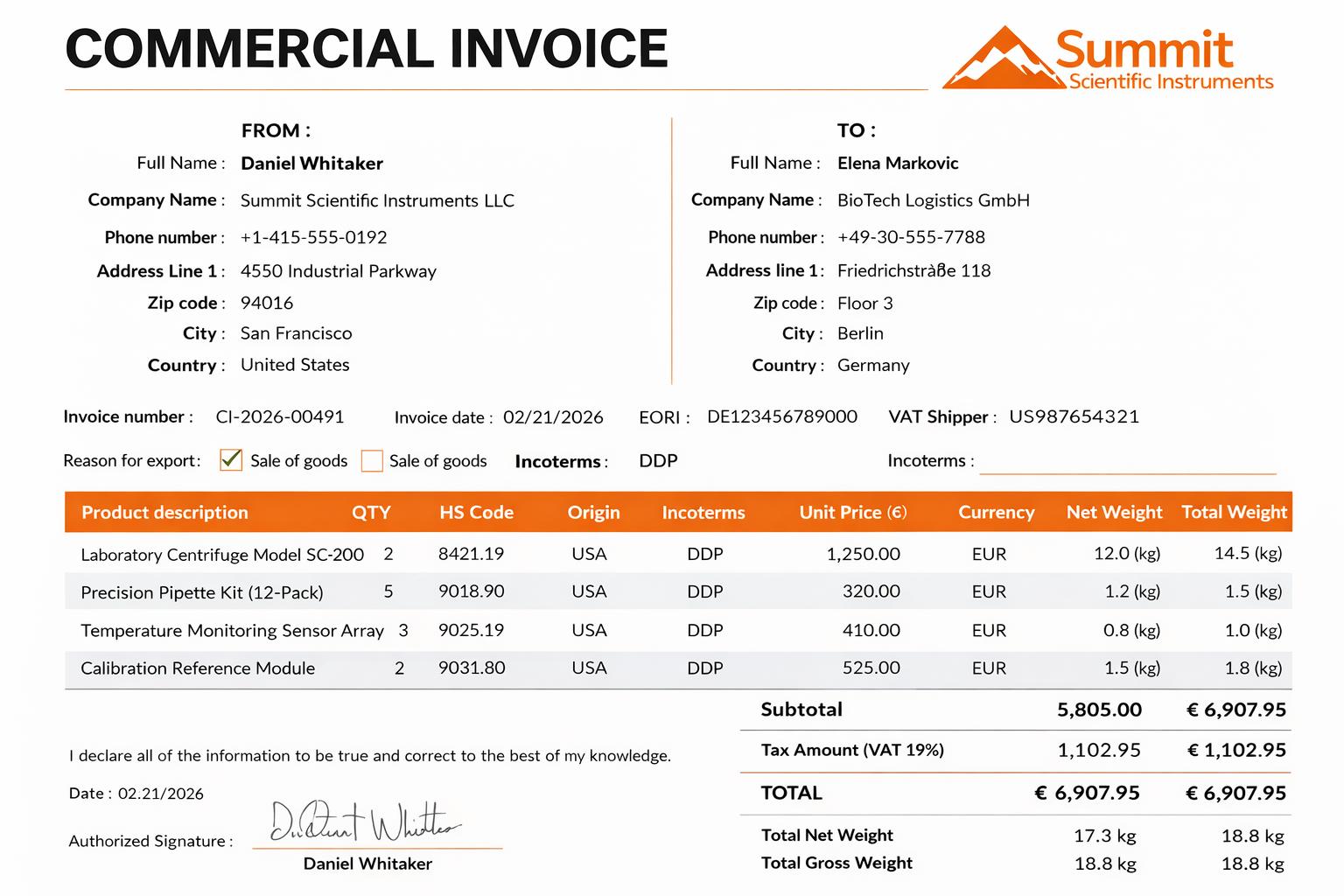
Commercial Invoice
Import/export and customs invoices with complex line-item structures — extracted in full detail.
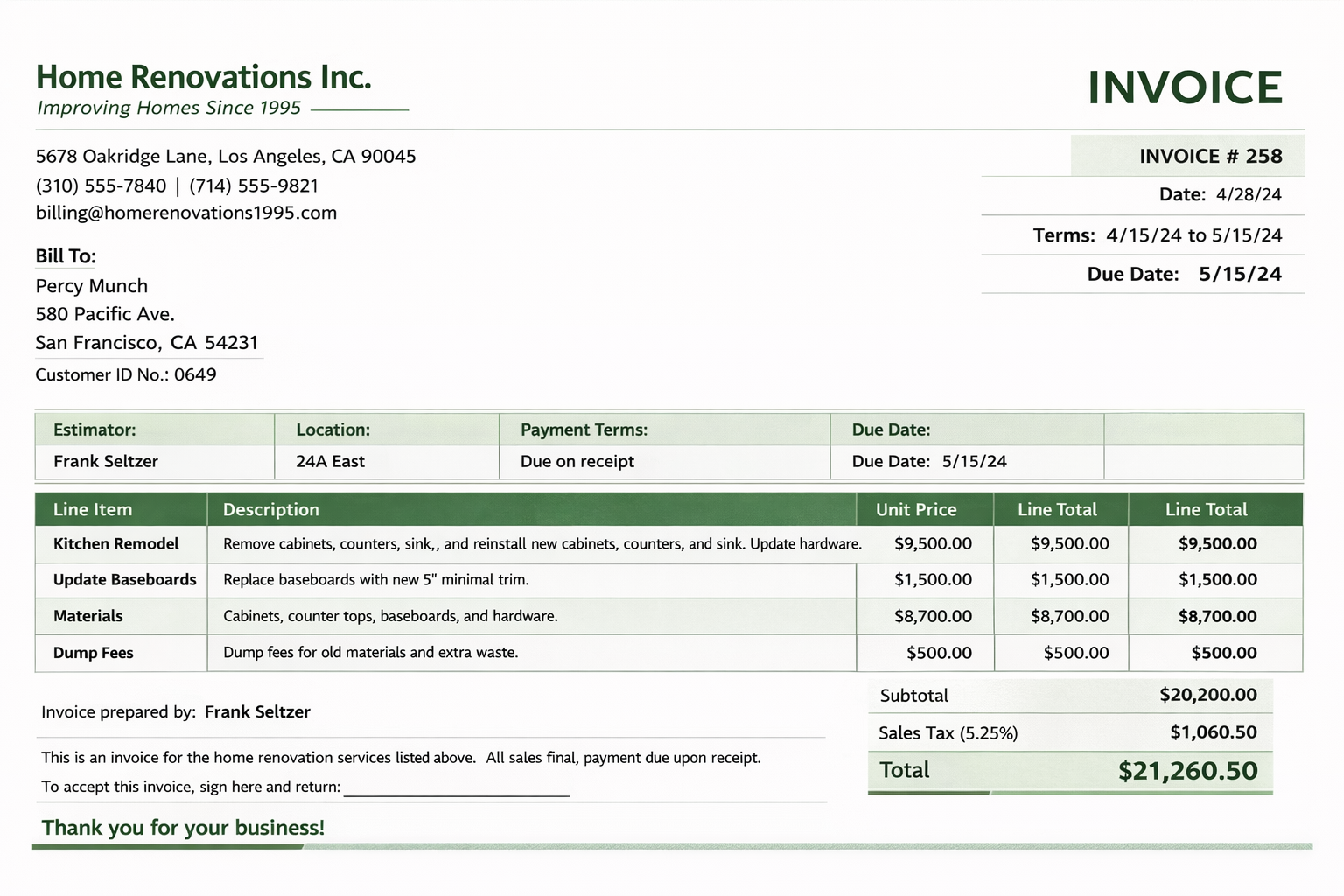
Standard Invoice
Typical vendor invoices with line items, totals, and payment terms — parsed accurately every time.
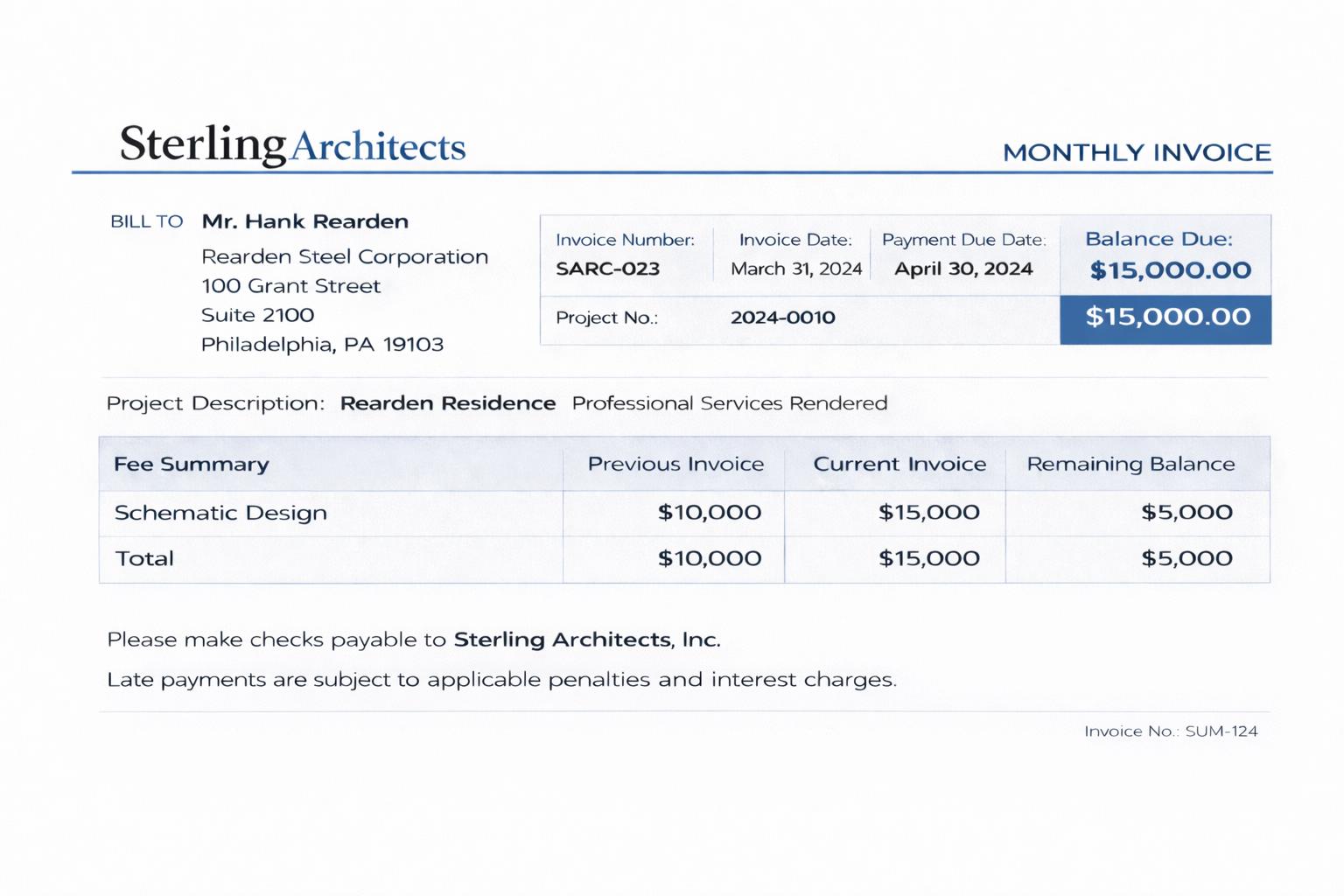
Interim Invoice
Progress billing and partial invoices common in construction and consulting — handled without confusion.
Secure Encrypted Data
Your financial documents deserve the highest level of protection.
AES-256 Encryption at Rest
All documents, extracted financial data, and associated emails are encrypted prior to storage.
OAuth2 Secured Integrations
Gmail, QuickBooks, and Xero connections use permission-scoped OAuth2 authorization.
Encrypted Data in Transit
All data is encrypted via TLS/HTTPS and transmitted securely with end-to-end encryption across every service.
Transparent, Usage-Based Pricing
Pay for what you use. Every plan includes generous monthly limits with flexible overages.
Starter
For individuals getting started with automated document processing.
- Up to 1 Member
- Email Monitoring Every 60 Minutes
- Automatic Email Category Labeling
- Invoice, Receipt & Credit Memo Extraction
- Missing Receipt Detection
- Duplicate Invoice Detection
- QuickBooks & Xero Integrations
- $0.01 per additional email
- $0.10 per additional page
Growth
For growing teams that need stronger controls and deeper automation.
- Everything in Starter
- Up to 5 Members
- Role-Based Access Control
- Email Monitoring Every 30 Minutes
- Individual Email Privacy Controls
- $0.008 per additional email
- $0.08 per additional page
Pro
For teams that need higher processing volume and granular visibility.
- Everything in Growth
- Up to 8 Members
- Higher Processing Limits
- $0.006 per additional email
- $0.06 per additional page
Business
For operations teams requiring advanced integrations and cross-team visibility.
- Everything in Pro
- Up to 16 Members
- Email Monitoring Every 15 Minutes
- Priority Support & Guided Onboarding
- $0.005 per additional email
- $0.05 per additional page
See DocStreamAI in Action
Watch how DocStreamAI turns a cluttered inbox into clean, structured financial data in minutes.
What is DocStreamAI?

Accounting Firms Using DocStreamAI

Focus on growing your business,
not data entry.
Start your free trial today. No credit card required. Set up your account in under five minutes.